
Cross-Platform UX Audit & Fix Plan
A full severity-ranked UX audit across Android, iOS, and Desktop for CasePath — a HIPAA-grade AI-driven case management platform for child services. Three workflow reports. Developer-ready acceptance criteria on every finding.

3
7+
40
–
60%
P0
Three reports. Three workflows. One system.
Each report covers a distinct environment with findings prioritized by business risk and compliance impact. Every finding includes developer-ready acceptance criteria.

Mobile Application
Recording sync, 500 errors, iOS appointment parity, sync state, empty states. Android & iOS · UAT.
Progress Notes
AI auto-populate gap, attachment autosave failure, Day Plan misplacement, note type overload. Desktop · Production.
Appointments
Navigation active states, hyperlink visibility, form grouping, appointment-type-to-note-type filter. Desktop · Production.
Mobile Application Report
The purpose of this report is to evaluate the mobile application across Android and iOS, identifying inconsistencies, defects, and friction points that disrupt key user workflows — ensuring a reliable, platform-consistent experience before release.
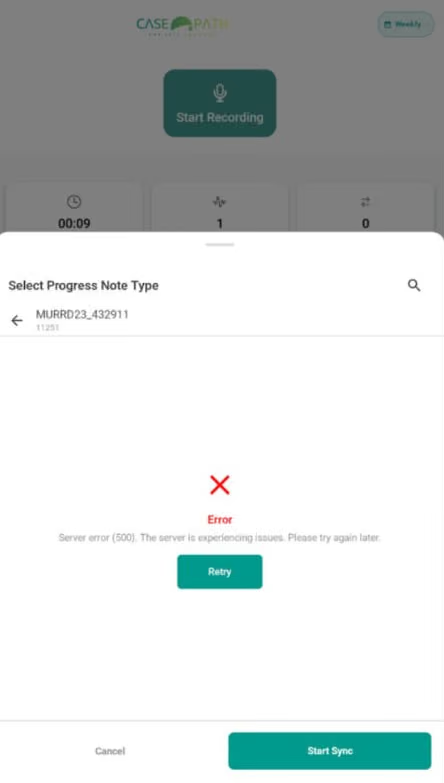
Progress Note Creation Fails Across All Note Types (500 Error)
After recording, data fails to appear in the web portal in a timely manner — creating gaps between capture and documentation.
Next Steps: Ensure recordings and transcriptions sync to the web portal promptly after completion. If offline, save locally and auto-sync on reconnection with no manual steps required. Sync timeframe should be user-configurable.
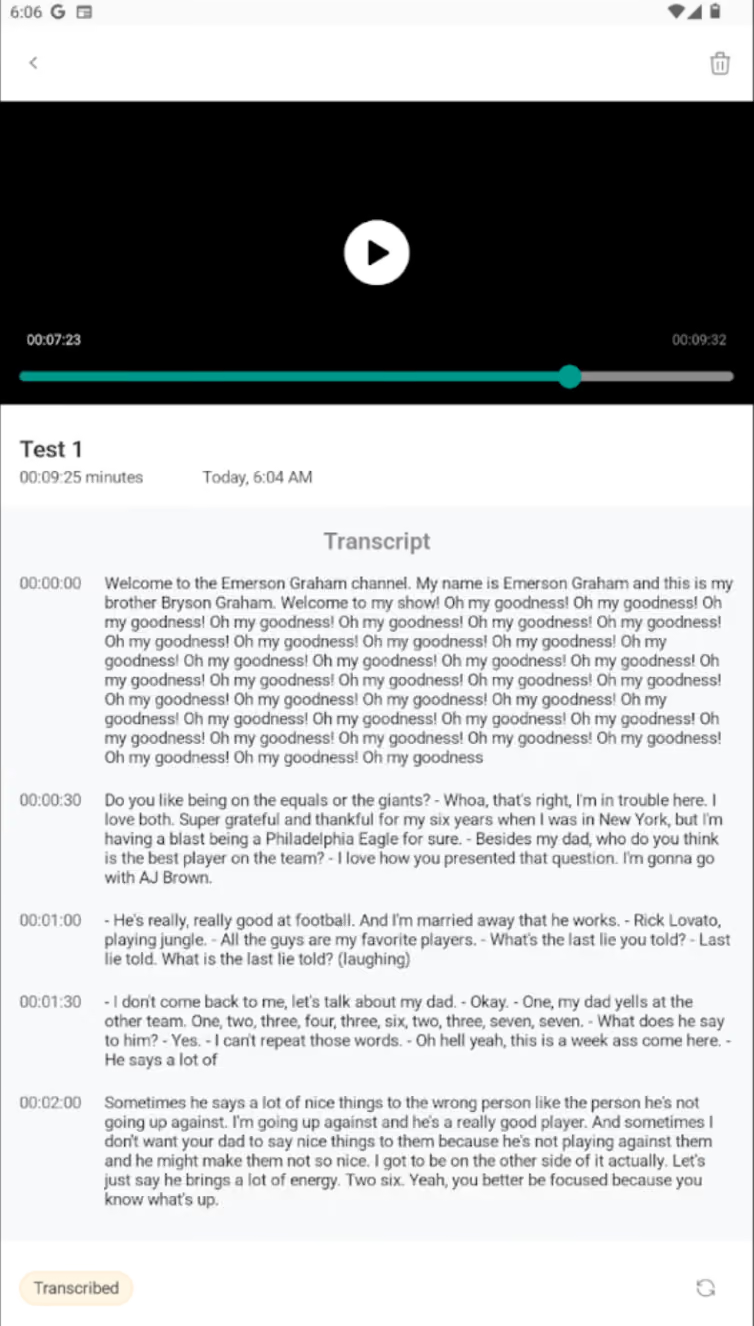
Recording Playback Defect
Transcription duplicates dialogue within the first 30 seconds of any recording. Tested using a controlled video source; audio and transcript output confirmed the mismatch.
Next Steps: Audit transcription engine behavior at session start · Verify audio buffer initialization · Validate output against source before rendering to user.
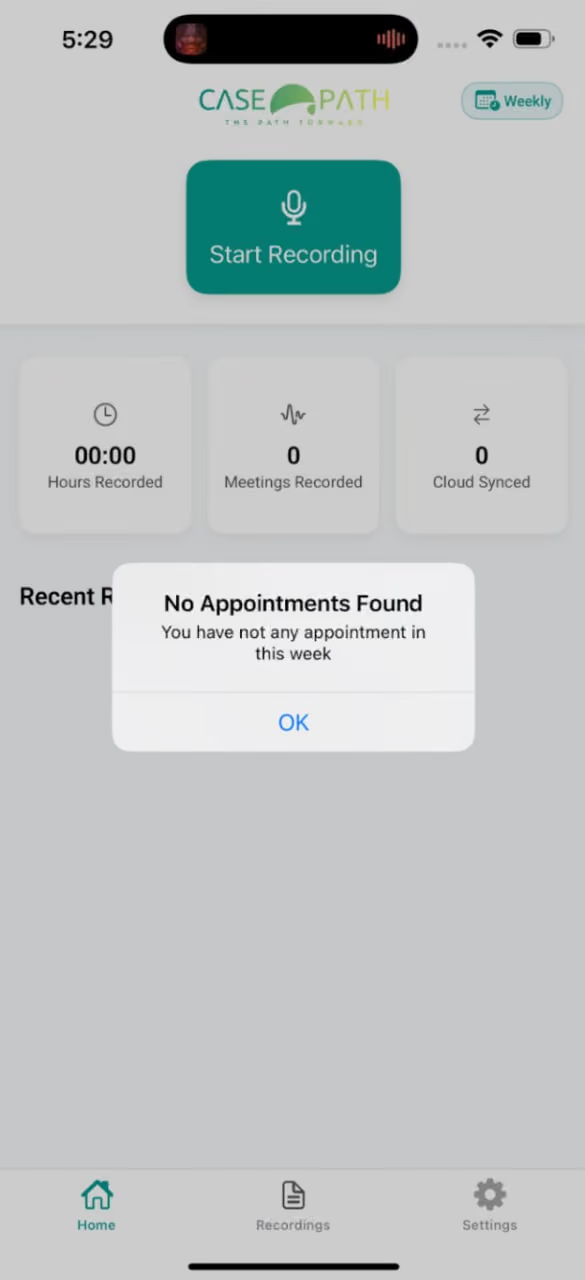
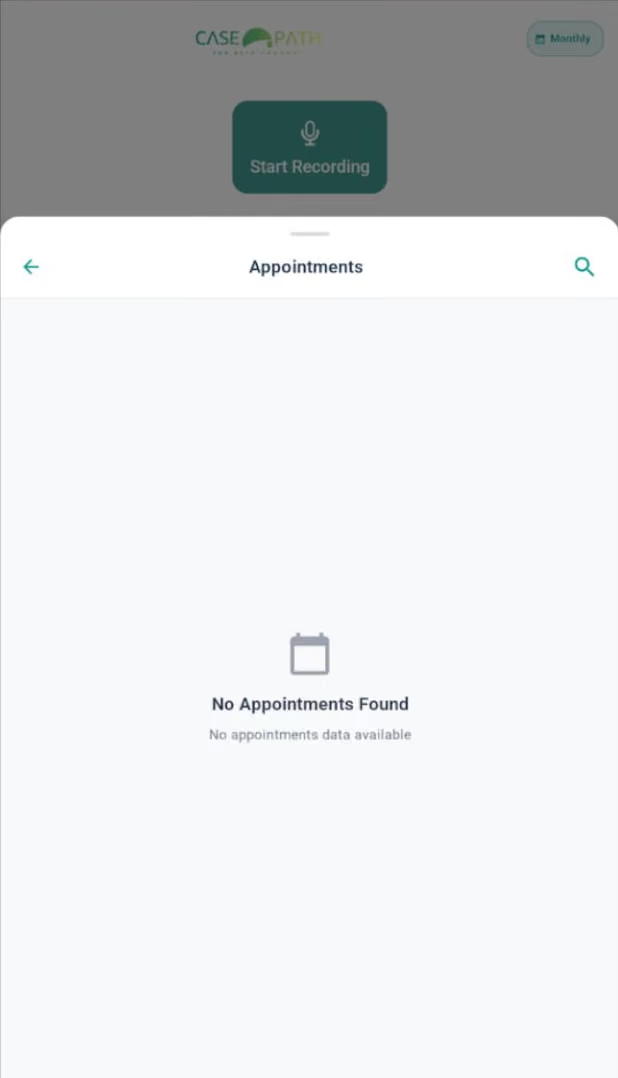
iOS Appointment Sync Failure — Web → iOS Missing
Web-created appointments fail to sync to iOS — Android unaffected. Users see an empty state despite existing data, with no indication the view is stale.
Next Steps: Ensure iOS pulls server appointments on refresh, suppress empty state when data exists, and surface a visible "Last updated" timestamp so users always know the accuracy of what they're seeing.
P1 — High Priority: Sync Reliability
These issues destroy user confidence and create dangerous misrepresentations of system state.
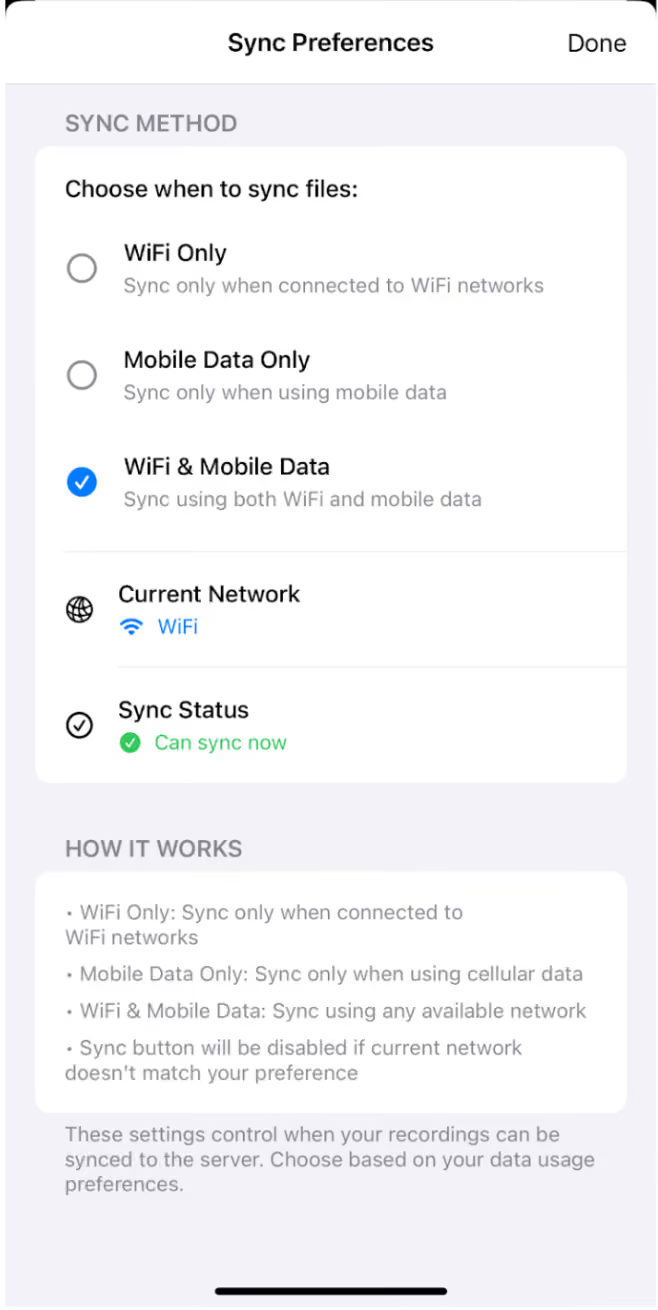
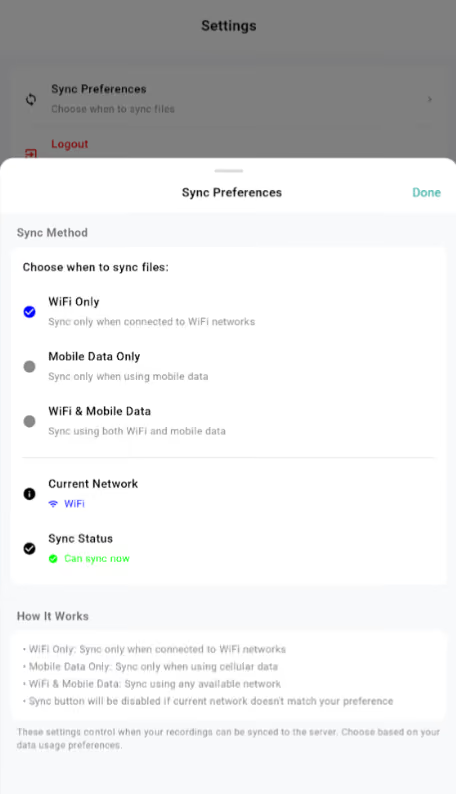
"Sync Restricted" State Blocks Workflow
Auto-sync behavior conflicts with user-controlled data preferences on personal devices, creating risk of critical data not syncing reliably.
Next Steps: Collaborating with the dev team to define a sync strategy that respects user connectivity preferences while guaranteeing critical data is never lost or delayed.
P2 — Medium Priority: Data Quality
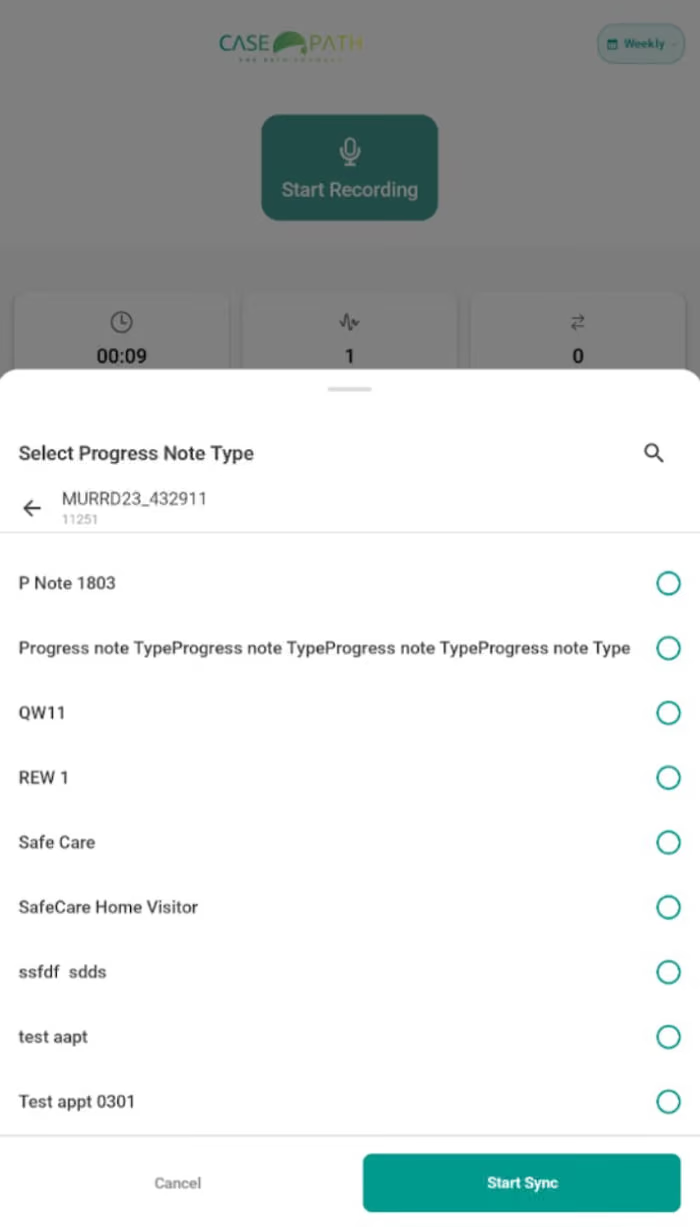
Progress Note Type List Overloaded with Irrelevant UAT Types
Progress note types visible in UAT do not reflect production data, surfacing incorrect options under test appointments and introducing workflow confusion that skews validation results.
Next Steps: Align UAT data with production to ensure only valid note types appear under the correct appointments.
Progress Note Report
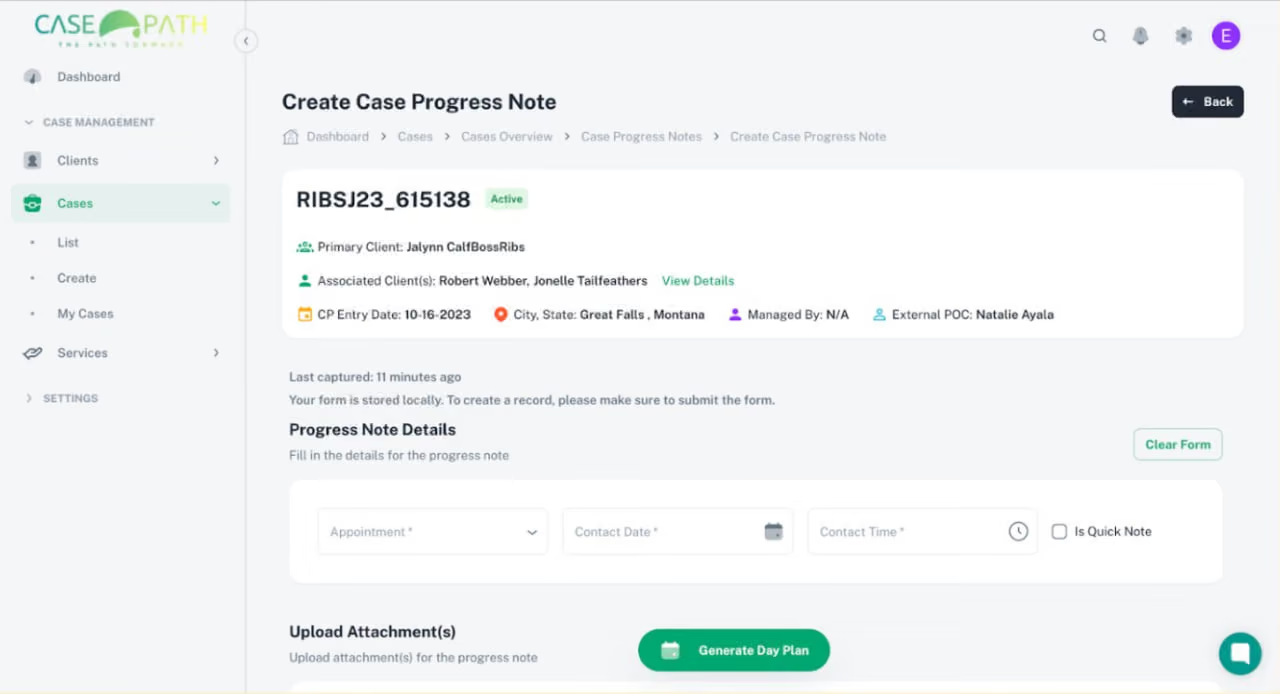
Production desktop findings that reduce documentation speed, create data loss risk, and block AI-assisted note creation — the core value proposition of the platform.
.avif)
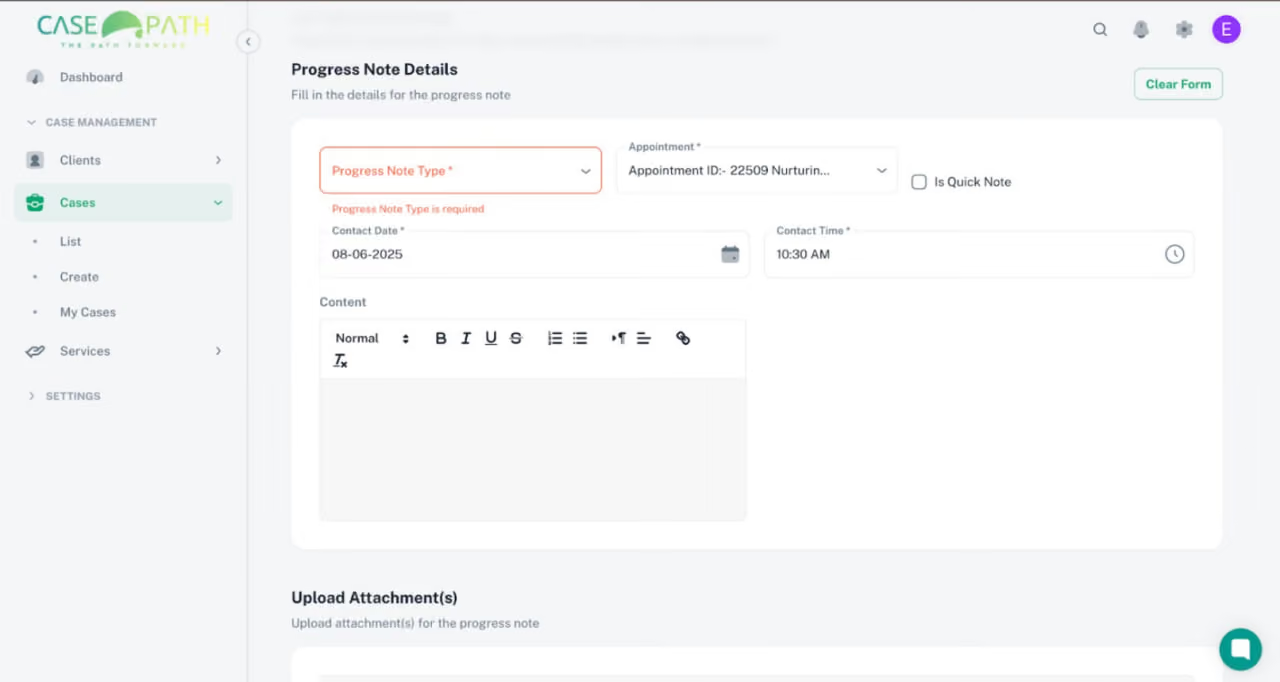
Recording Not Surfaced in Note Creation — AI Auto-Populate Missing
When a user selects an appointment, the system fails to surface the associated mobile recording or offer AI-assisted note generation — forcing fully manual documentation.
Next Steps: Auto-populate client, provider, and location from the appointment record; prefill note content from the mobile recording; introduce a "Generate Summary Using AI" action at the point of note creation.
Impact: Reduces manual documentation load and projected to cut note-creation time by 40–60%.recording?" was noted directly in UX evaluation comments.
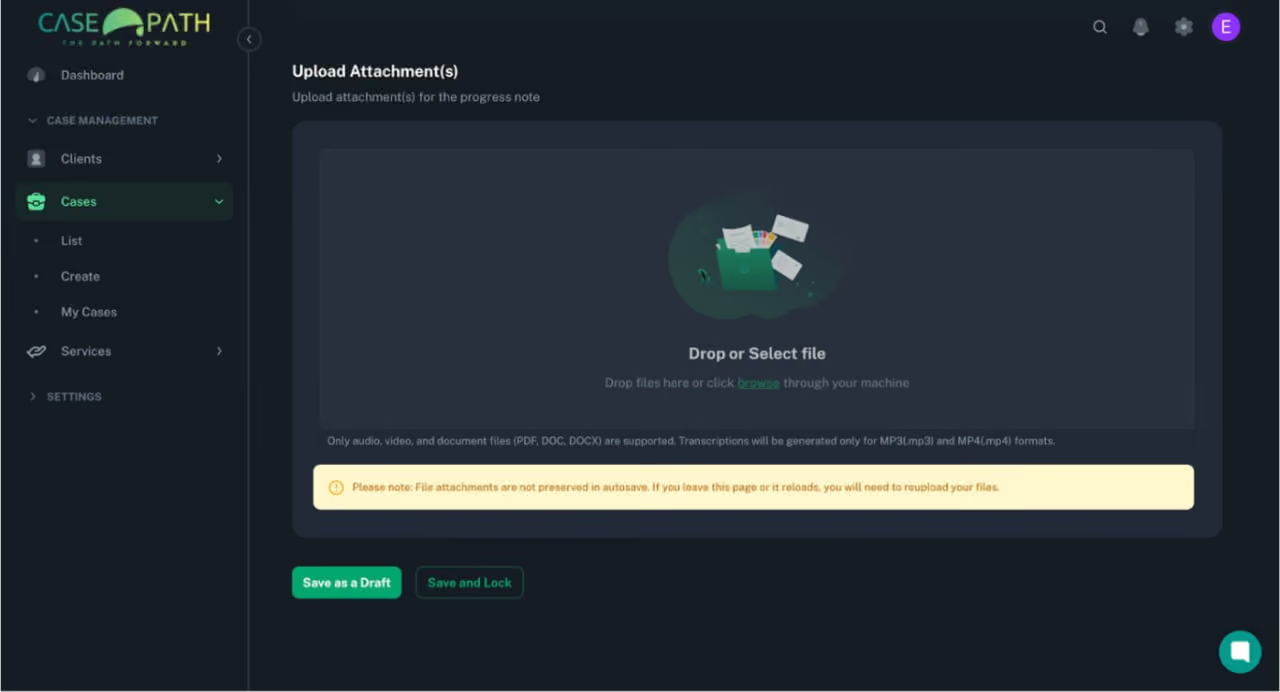
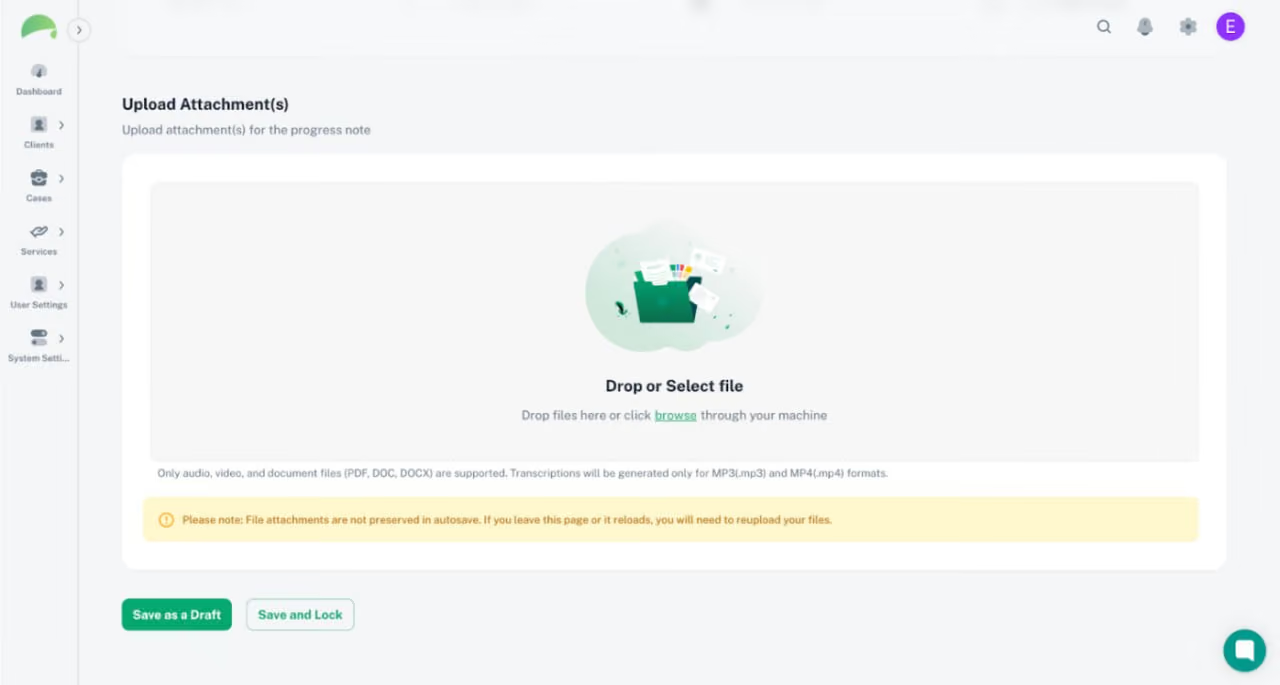
Upload Attachments Do Not Autosave — Active Data Loss Warning
Defect: Attachment Loss on Autosave
Autosave excludes file attachments, causing silent data loss without any user warning.
Next Steps: Extend autosave to include attachments · Validate file persistence across session interruptions · Test across note types and file formats.
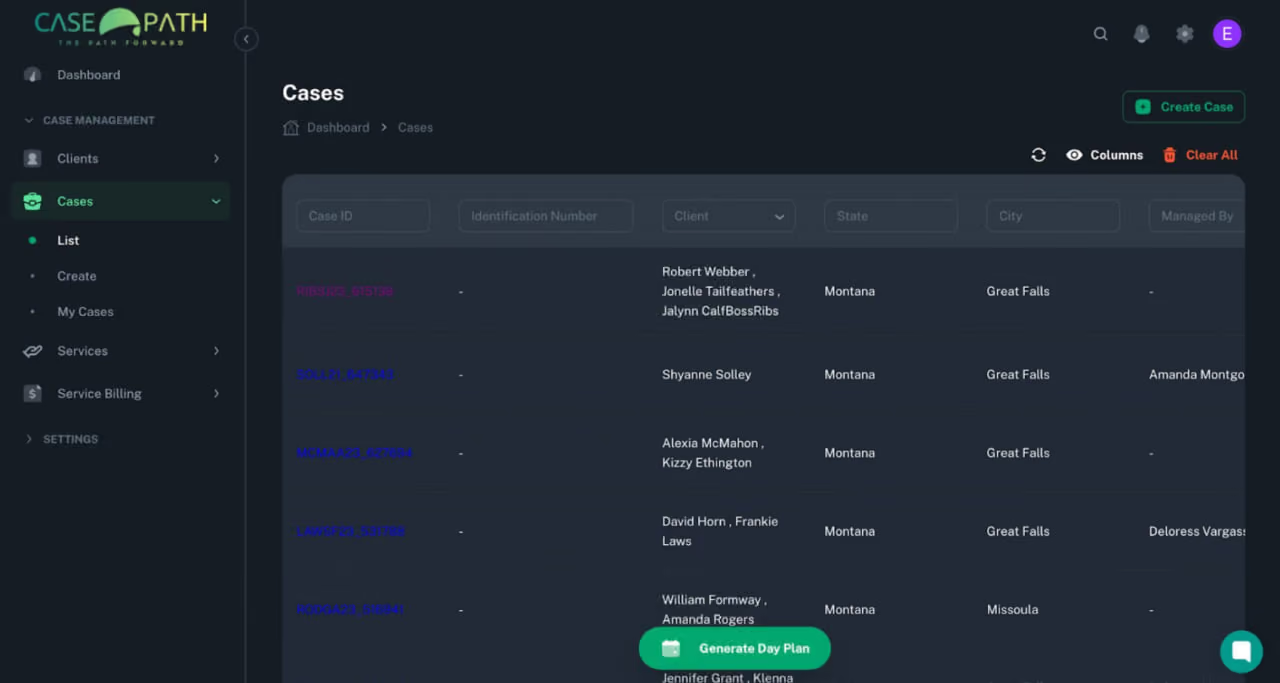
"Generate Day Plan" FAB Appears on Wrong Screens
Defect: Misplaced "Generate Day Plan" Button"
Generate Day Plan" surfaces during progress note editing — a context where it has no relevance, adding visual noise and potential confusion to a focused documentation workflow.
Next Steps: Restrict button visibility to Case Overview and Calendar pages
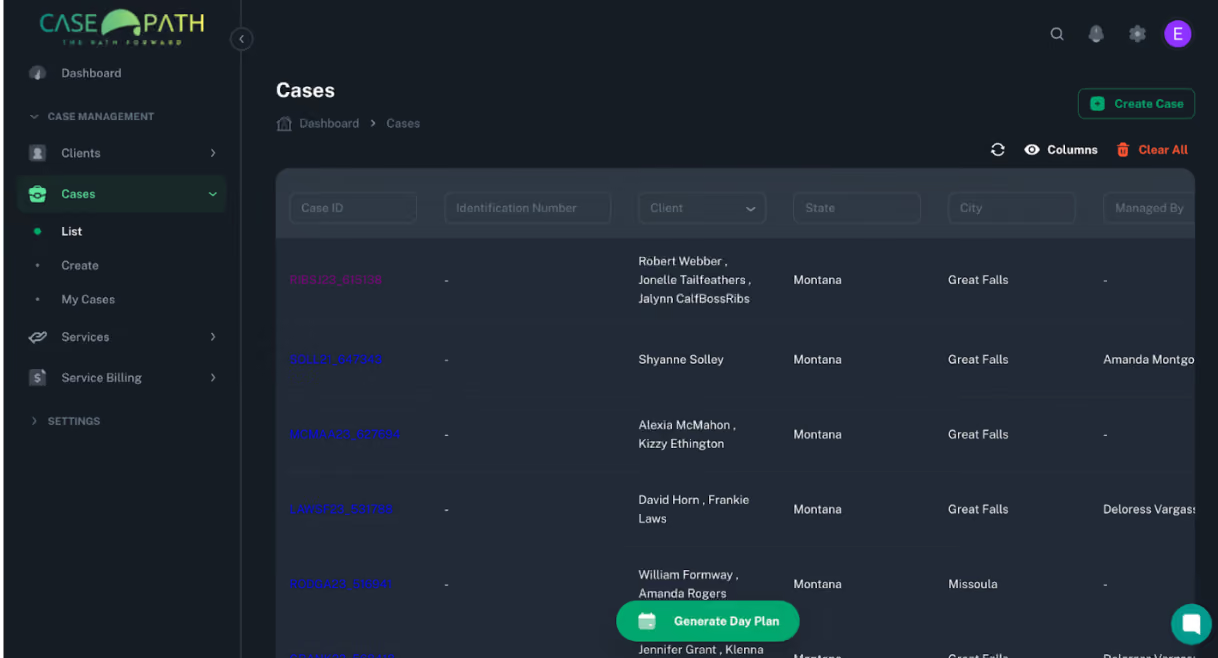
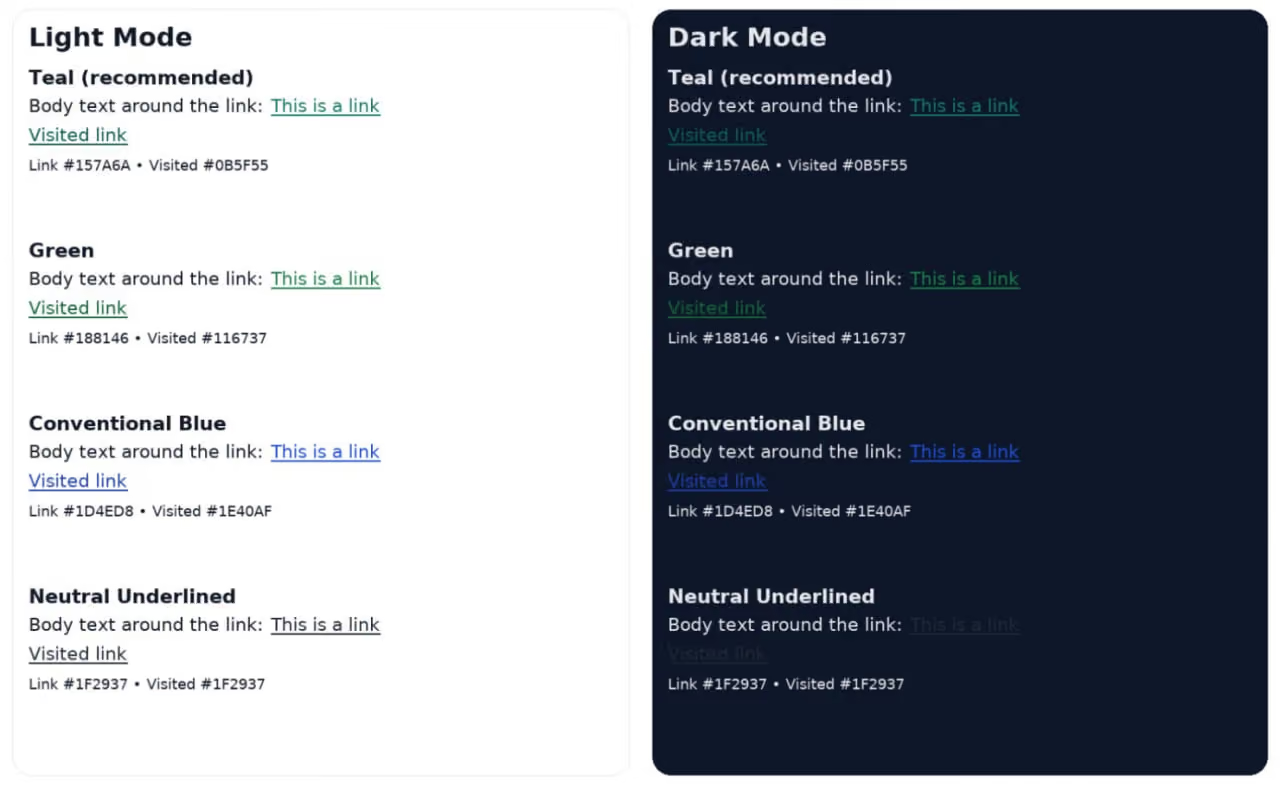
Hyperlinks Not Underlined — Low Contrast in Dark Mode
Defect: Link Affordance Fails in Dark Mode
Links lack underlines and sufficient color contrast in dark mode, reducing visibility and accessibility — users may not recognize them as interactive elements.
Next Steps: Apply underline styling to all links · Select a contrast-compliant color for dark mode · Validate against WCAG AA standards.
Setting Up Appointment Report
Production findings focused on orientation, discoverability, and the critical relationship between appointment type and progress note type.
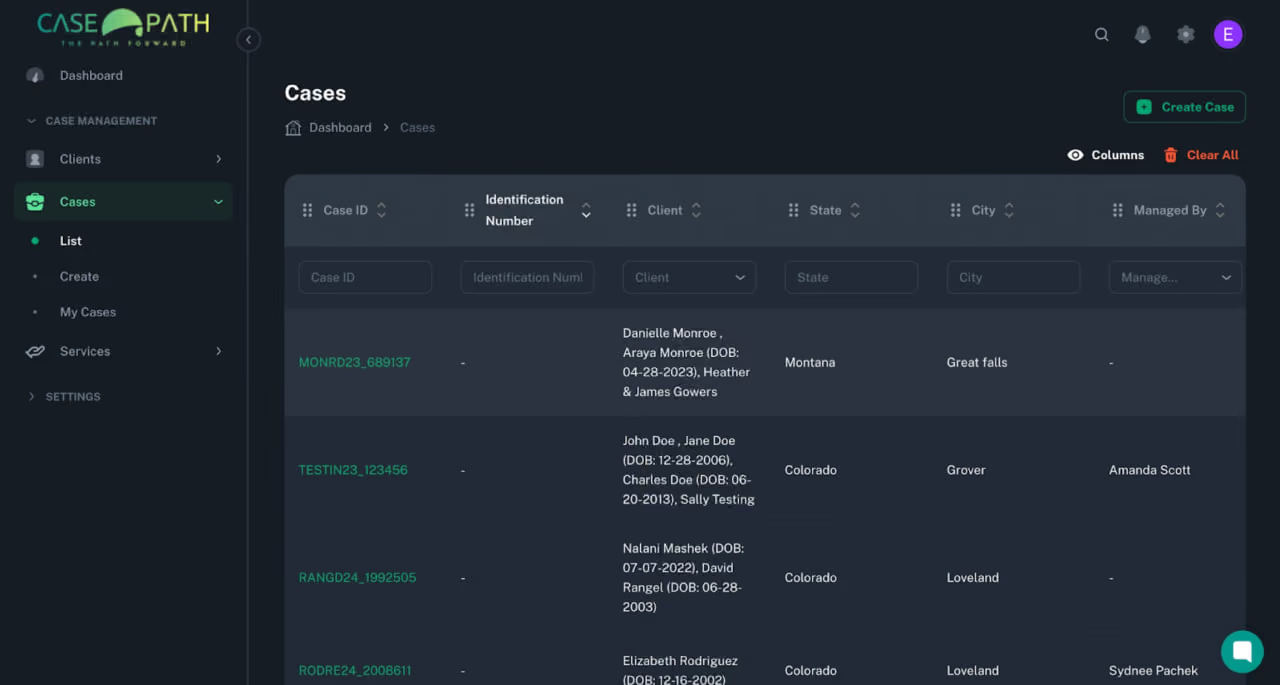
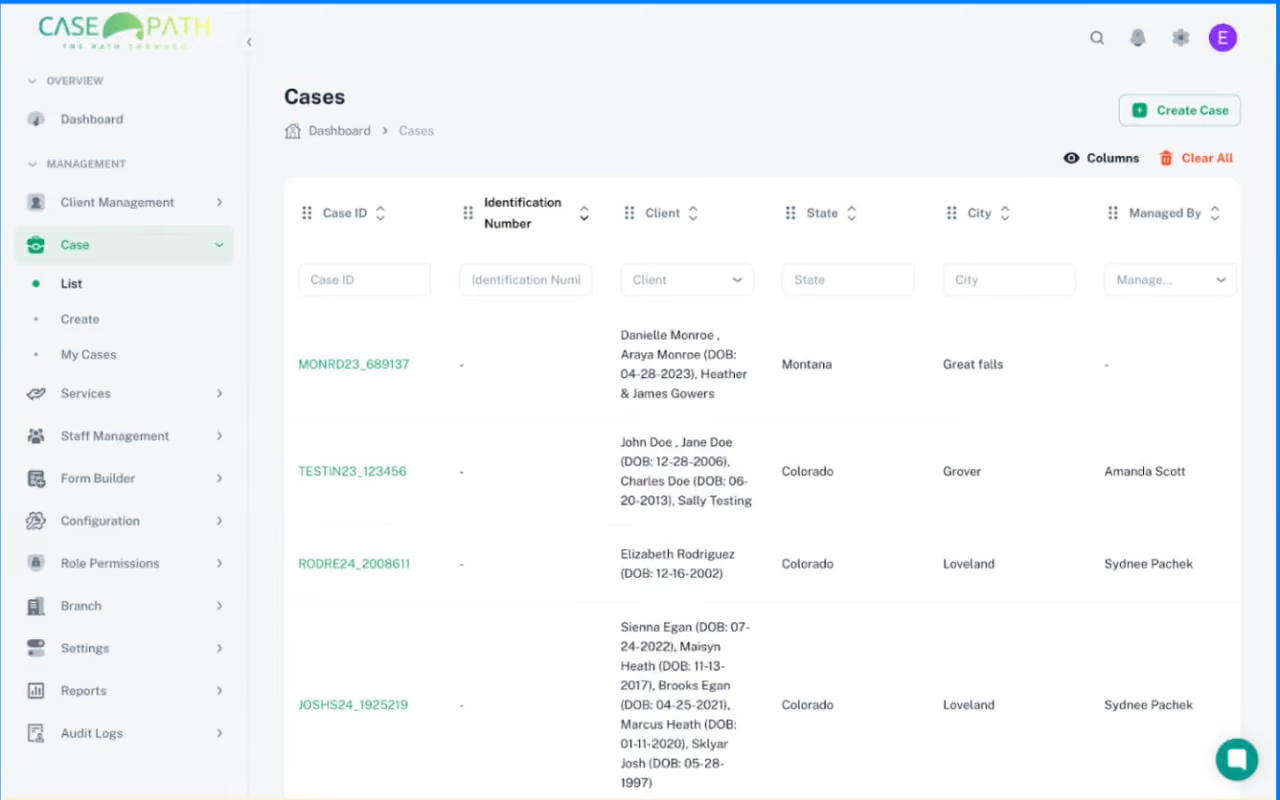
No Active State on Navigation — Users Lose Orientation
Defect: No Active State in Sidebar Navigation
With 10+ menu items, the sidebar provides no visible active state in either mode. A green dot alone is insufficient — users have no clear sense of where they are in the system.
Next Steps: Implement background fill + bold label for active state · Validate across dark and light modes.
What this audit delivers
Dev-ready acceptance criteria on every finding. Measurable outcomes tied to each fix.
All recommendations delivered
40–60%
<2 min
<60 sec
0
Ready to build on this?
This audit is the foundation. P0 fixes within 72 hours, sprint plan for P1 and P2, then AI note generation as the platform's core differentiator.
See Case Study live. 30 minutes that changes how you see your own product.
We'll walk through the real audit — how we found the P0 blockers and built the fix plan. Then we map your product to the same framework, live.
.png)